
Are you looking for a reliable, clean, and cost-effective proxy provider to power your multi-accounting, web scraping, or social media management workflows?
In the world of proxy servers, finding IPs that are not blacklisted and do not constantly trigger verification checks can be a massive challenge. That is where QuarkIP enters the picture. Heavily recommended by industry-leading anti-detect browsers like AdsPower, Undetectable, MoreLogin, and Hidemium, QuarkIP has quickly gained popularity among affiliate marketers, data scrapers, and automation experts.
In this comprehensive QuarkIP review, we will dive deep into its key features, types of proxies, pricing structure, pros and cons, and provide a step-by-step integration guide.
What is QuarkIP?
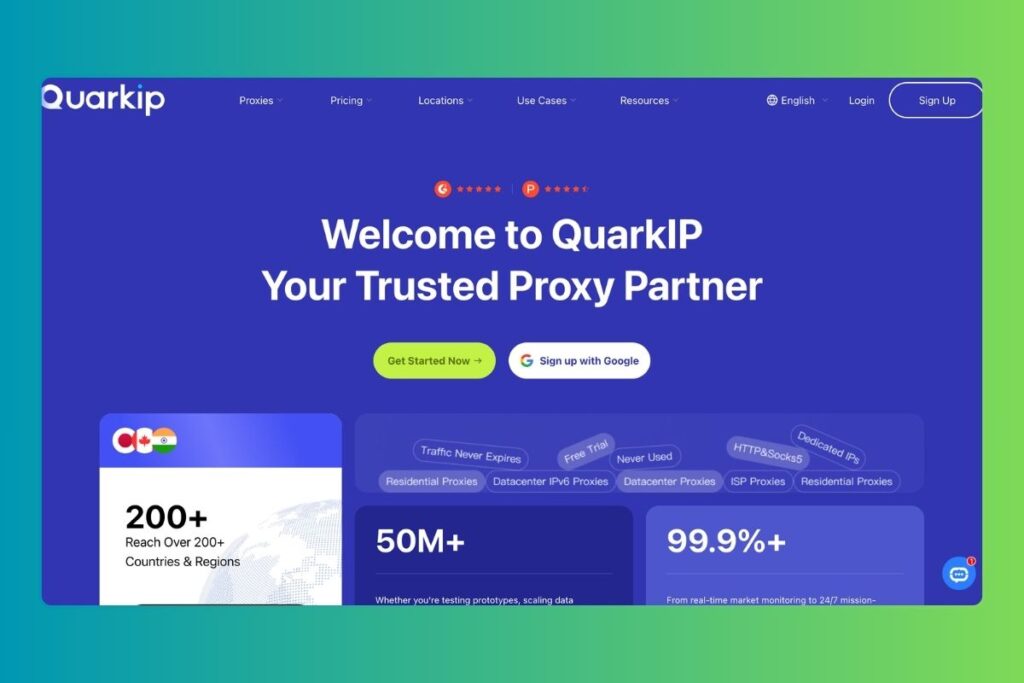
QuarkIP is a global premium proxy service provider specializing in offering highly anonymous residential, ISP (static residential), and datacenter proxies. With coverage spanning over 200 countries and regions, it is designed specifically for high-concurrency tasks, multi-profile management, ad verification, and web scraping.
Unlike generic proxy platforms that offer shared or recycled IPs, QuarkIP positions itself as an infrastructure provider, focusing heavily on providing clean, “never used” (virgin) IPs to ensure low block rates and high trust scores.
Key Features of QuarkIP
Why are professional marketers and developers shifting to QuarkIP? Here are some of the standout features of this platform:
- Massive Global IP Pool: With access to IPs in 200+ countries, you can bypass geo-blocks and target hyper-localized content easily.
- Virgin/Clean IPs: They filter out abused IPs, giving you access to fresh nodes that haven’t been flagged by strict security networks like Cloudflare, Google, or e-commerce platforms.
- Non-Expiring Residential Traffic: When you purchase residential proxy bandwidth (priced per GB), the traffic does not expire. You can use it at your own pace without worrying about monthly resets.
- Dual Protocol Support: All proxies support both HTTP and SOCKS5 protocols, ensuring maximum compatibility with almost any software.
- Seamless Anti-Detect Integration: It is fully optimized to work out-of-the-box with anti-detect browsers like AdsPower, MoreLogin, Undetectable, and Dolphin{anty}.
QuarkIP Proxy Types & Use Cases
QuarkIP offers four primary proxy categories, each designed for specific user needs:
1. Rotating Residential Proxies
Sourced from actual home internet service providers (ISPs), residential proxies offer the highest level of anonymity. They are virtually impossible for websites to distinguish from regular home users.
- Best For: Web scraping, social media automation, sneaker botting, and market research.
- Pricing Metric: Charged per Gigabyte (GB) of data.
2. Static Residential (ISP) Proxies
These combine the speed and uptime of a datacenter proxy with the high trust score of a residential IP. They give you a permanent, dedicated residential IP that doesn’t change.
- Best For: E-commerce store management (eBay, Amazon, Etsy) and long-term social media accounts (Facebook, TikTok) where changing IPs raises security flags.
- Pricing Metric: Charged per IP (monthly/weekly).
3. Datacenter Proxies (IPv4)
High-speed proxies hosted on enterprise servers. They offer lightning-fast speeds and unlimited bandwidth but have a lower trust score compared to residential IPs.
- Best For: Fast web crawling, bulk account creation on less strict websites, and general geo-unblocking.
- Pricing Metric: Charged per IP.
4. Datacenter IPv6 Proxies
Modern, highly scalable, and extremely budget-friendly proxies suited for platforms that support IPv6 networks.
- Best For: Large-scale automated tasks on IPv6-compliant websites.
- Pricing Metric: Charged per IP.
QuarkIP Pricing Breakdown
QuarkIP is known for being budget-friendly compared to major competitors like Bright Data or Oxylabs. Here is an overview of their entry-level pricing:
| Proxy Type | Starting Price | Pricing Model | Traffic Expiry |
|---|---|---|---|
| Residential Proxies | From $1.60 / GB | Per GB | Never Expires |
| Datacenter IPv6 | From $1.73 / Proxy | Per IP | Monthly Subscription |
| Datacenter IPv4 | From $4.52 / Proxy | Per IP | Monthly Subscription |
| Static Residential (ISP) | From $7.48 / Proxy | Per IP | Monthly Subscription |
Note: QuarkIP often runs promotional discounts (up to 10% off) through partnerships with anti-detect browsers. Look out for partner codes on platforms like Undetectable.io or AdsPower.
Step-by-Step Guide: How to Integrate QuarkIP with Anti-Detect Browsers
Setting up a proxy is simple. Here is how you can fetch QuarkIP details and configure them inside an anti-detect browser like AdsPower or MoreLogin.
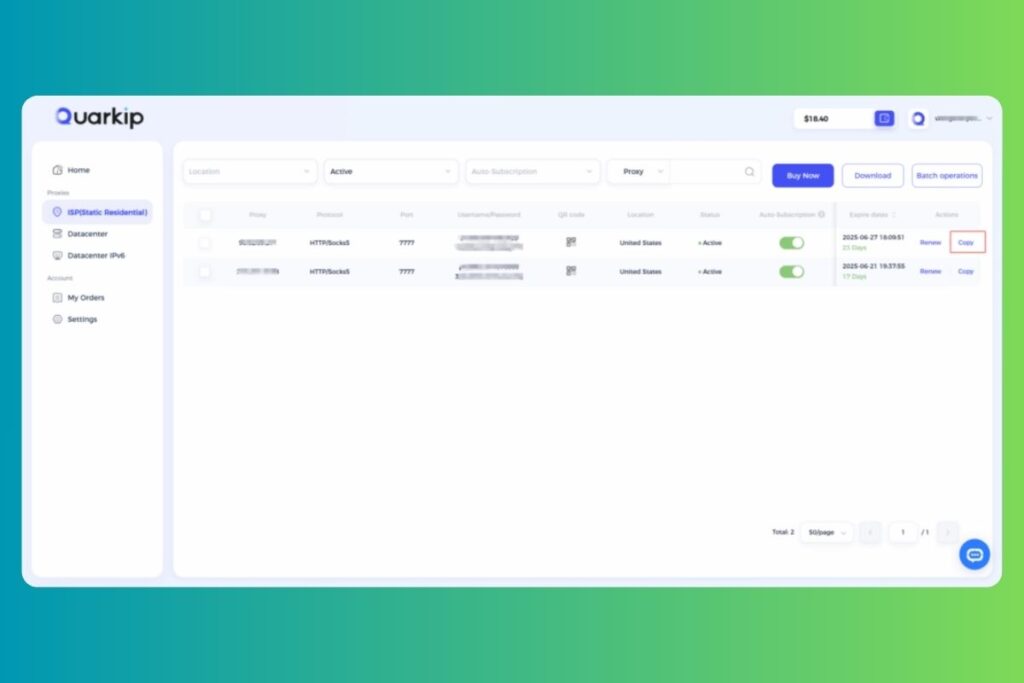
Step 1: Generate Proxy Credentials from QuarkIP Dashboard
- Go to the QuarkIP Website and register or log in.
- Navigate to your Dashboard and select the active proxy package you purchased.
- Choose your desired location (Country/Region) and connection protocol (HTTP or SOCKS5).
- Copy the generated credentials.
They will look like this:
- Host (IP Address):
proxy.quarkip.com(or a specific IP) - Port:
10000(or similar) - Username:
user-12345 - Password:
pass-abcde
Step 2: Configure in Your Anti-Detect Browser (e.g., AdsPower)
- Open your anti-detect browser (AdsPower, MoreLogin, Undetectable, etc.).
- Click on Proxies in the menu on the right.
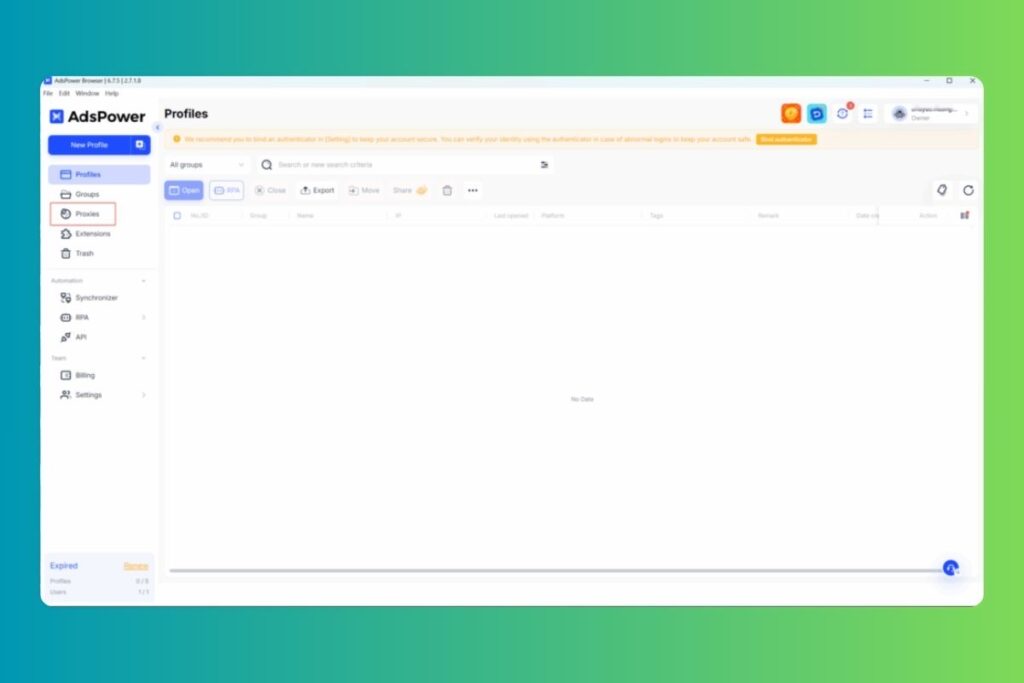
- Click the Add Proxy button.
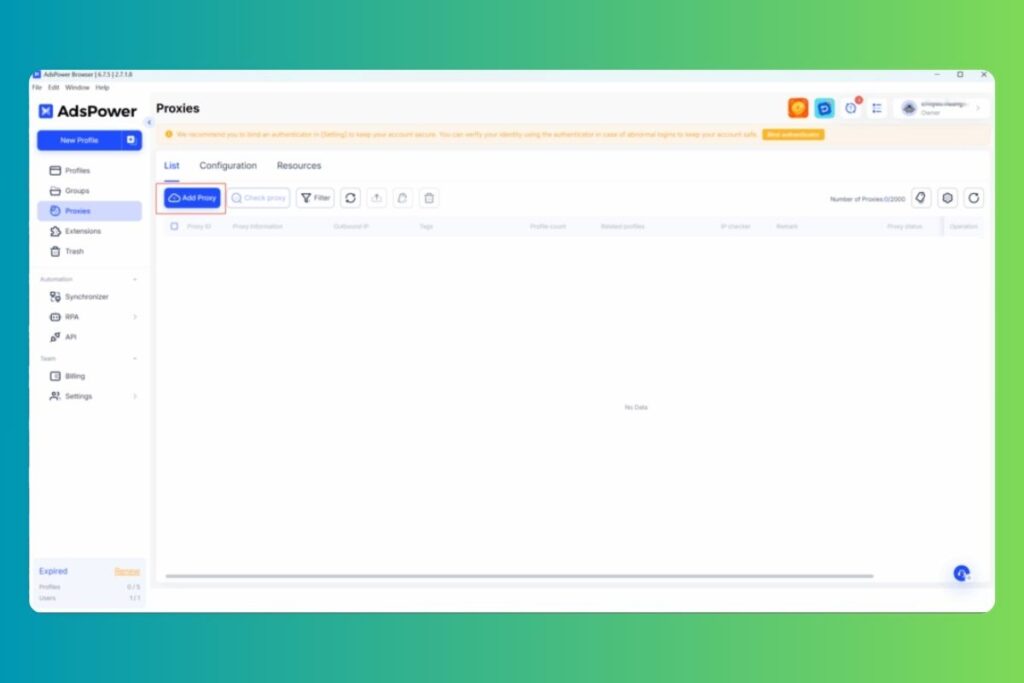
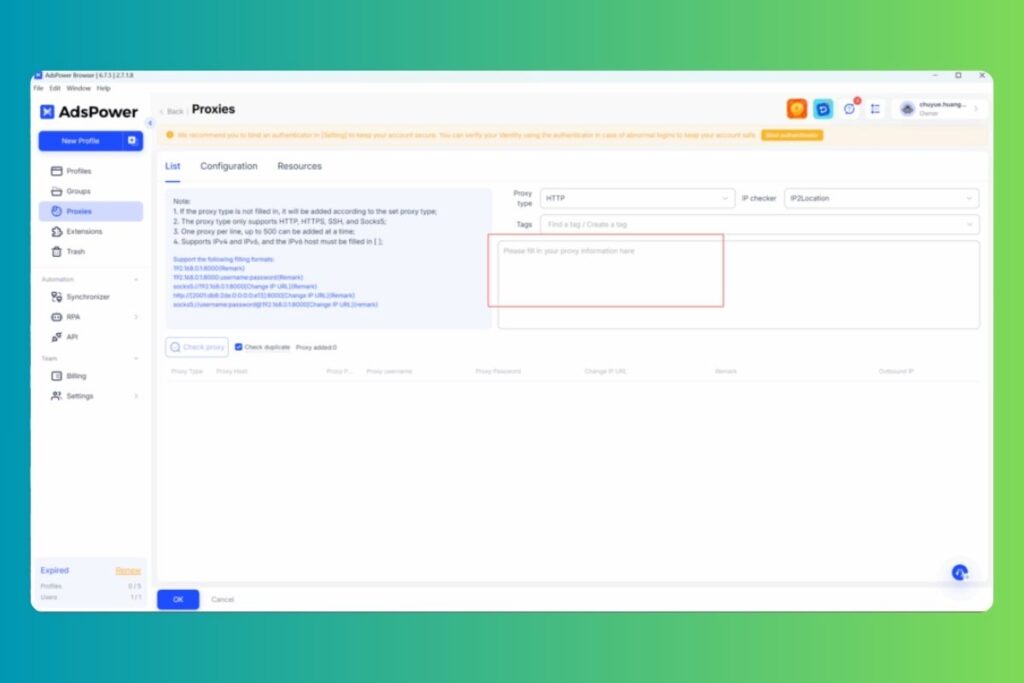
- Select the proxy protocol (HTTP or SOCKS5) and paste your QuarkIP credentials into the input field, then click OK.
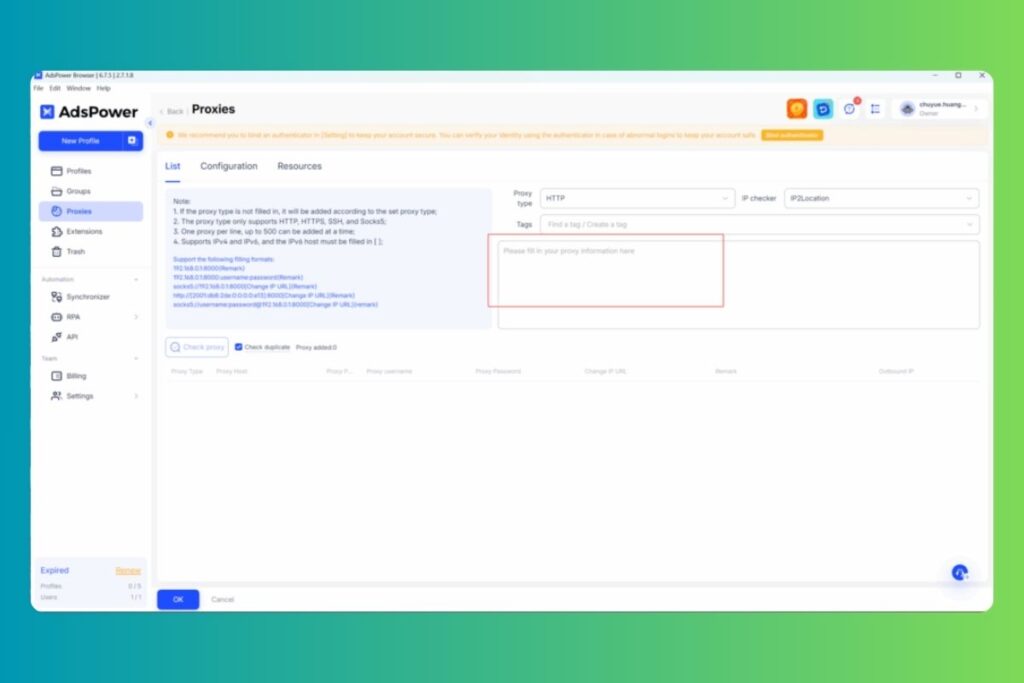
- Click the New Browser button at the top right, select the proxy you just added, and save it.
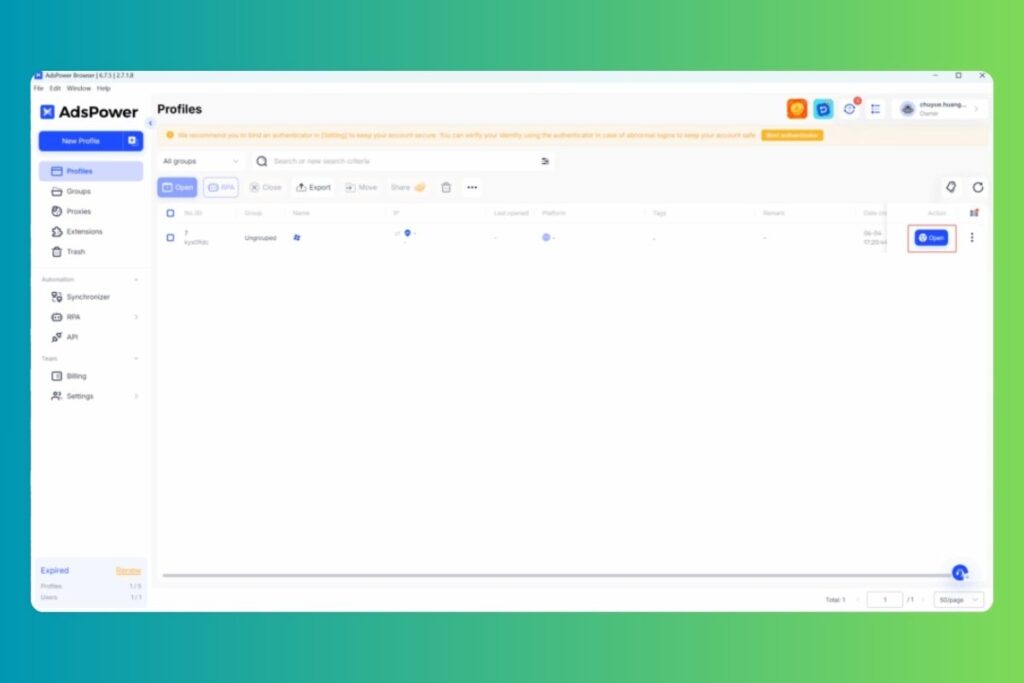
- Click Open to launch the profile. You will see the active proxy information on the detection page.
Pros and Cons of QuarkIP
No service is perfect. Here is a balanced look at QuarkIP’s advantages and drawbacks:
Pros
- Non-expiring bandwidth: You only pay for what you use, with zero waste.
- Affordable entry rates: Great for beginners and small businesses.
- High Trust IPs: Excellent success rates on e-commerce platforms.
- Excellent Integrations: Official partner of major multi-accounting browsers.
- SOCKS5 & HTTP: Works with standard scripts and custom scrapers.
Cons
- Self-Service Dashboard: The UI is straightforward but requires some technical understanding of proxies.
- Limited Documentation: While integration guides are detailed on partner sites, QuarkIP’s own tutorial section could be more robust.
- No Built-in VPN App: It must be used inside browsers or third-party client software.
Verdict: Is QuarkIP Worth It?
If you are an affiliate marketer, multi-account manager, or scraper who already uses tools like AdsPower, Undetectable, or MoreLogin, QuarkIP is absolutely worth it. It offers some of the cleanest IPs in the industry at a fraction of the cost of legacy proxy networks, and the non-expiring residential traffic is a massive budget-saver.
However, if you are looking for a simple consumer VPN for basic web browsing or streaming, QuarkIP’s setup might feel a bit technical, and a standard VPN service would suit you better.
Frequently Asked Questions (FAQ)
Yes, QuarkIP supports both HTTP and SOCKS5 protocols for all proxy types, making it highly secure and versatile.
Yes, QuarkIP often offers a small amount of trial bandwidth (like 200MB) or introductory discounts when you sign up using partner links from anti-detect browsers.
No. Unlike many proxy providers that reset your traffic balance at the end of the month, QuarkIP residential proxy bandwidth does not expire.
Yes, their Static Residential (ISP) proxies are highly recommended for e-commerce platforms because they retain the same trusted IP address long-term.