
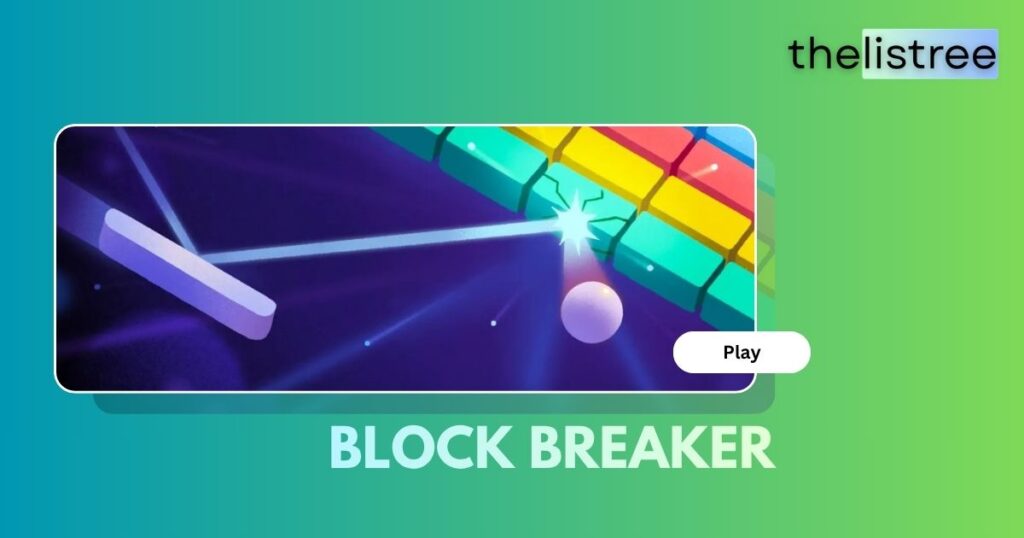
You typed something innocent into Google Search. You were looking for a quick answer. And then you saw it — right there at the top of the page: a glowing neon game card labeled Block Breaker, complete with a “Play” button staring back at you. Three minutes later, you had completely forgotten what you were originally searching for.
If that sounds familiar, you are not alone. Google Block Breaker has quietly become one of the most played browser games on the planet, and the best part is that millions of people discover it completely by accident.
In this comprehensive, fact-checked guide, we cover everything: the origin story behind the game, exactly how to find and play it on any device, a full breakdown of every power-up, and proven strategies to dominate your high score.
Key Takeaways & Quick Facts
- What it is: Google Block Breaker is a free, browser-based arcade game directly embedded inside Google Search. No download or installation is required.
- How to Access: Simply type it into Chrome or any browser, then click the “Play” button on the game card that appears.
- Origin: The game is Google’s modern tribute to Atari Breakout (1976), a legendary arcade game famously co-created by Steve Jobs and Steve Wozniak before they founded Apple.
- Core Gameplay: The game follows a progressive difficulty model, where ball speed and block complexity increase as you clear the field.
- Platforms: Works on desktop (Windows, Mac, and Linux), Android, iPhone, Chromebook, and tablet.
Try It Now: Play Block Breaker Before Reading the Guide
Before we dive into the history, tips, and strategies—why not experience the game yourself first? TheLisTree has built an exclusive, fully playable version of Google Block Breaker that runs right here in your browser.
Tip: Press LEFT (◀) and RIGHT (▶) arrow keys to confirm controls, then hit START GAME. Use the ⛶ button to expand to fullscreen.
Play Google Block Breaker Pro (The LisTree Exclusive Edition)
At TheLisTree, we don’t just write about games—we build them. Below is our exclusive, custom-built version of Block Breaker, designed specifically for our readers.
What Makes This Version Special?
- Controls Check Screen: Before the game starts, verify your keyboard or touch controls work.
- Full Keyboard Support: Use the arrow keys ← → or the A/D keys to move the paddle.
- Mouse & Touch: Fully supports mouse tracking and mobile swipe.
- Premium Gradients + Particle Effects: Blocks shatter with glowing color particles.
- Fullscreen Mode: Expand the game with the ⛶ button in the top-right corner.
Click Start to begin!
Mouse, Arrows, or Touch — all supported
Arrows / A D / Mouse / Touch — use anything to play
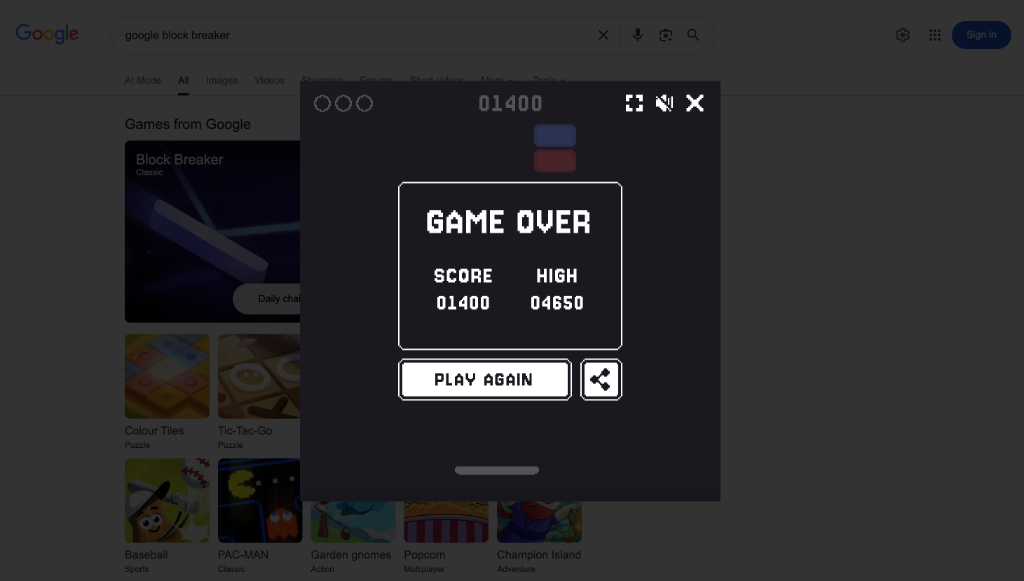
Your score is just a starting point. Keep practicing to join the ranks of high-score masters.
What is Google Block Breaker?
Google Block Breaker is a free, zero-installation arcade game that Google has built directly into its Search results page. When you search for it, a fully functional game appears as an interactive card above the standard web results.
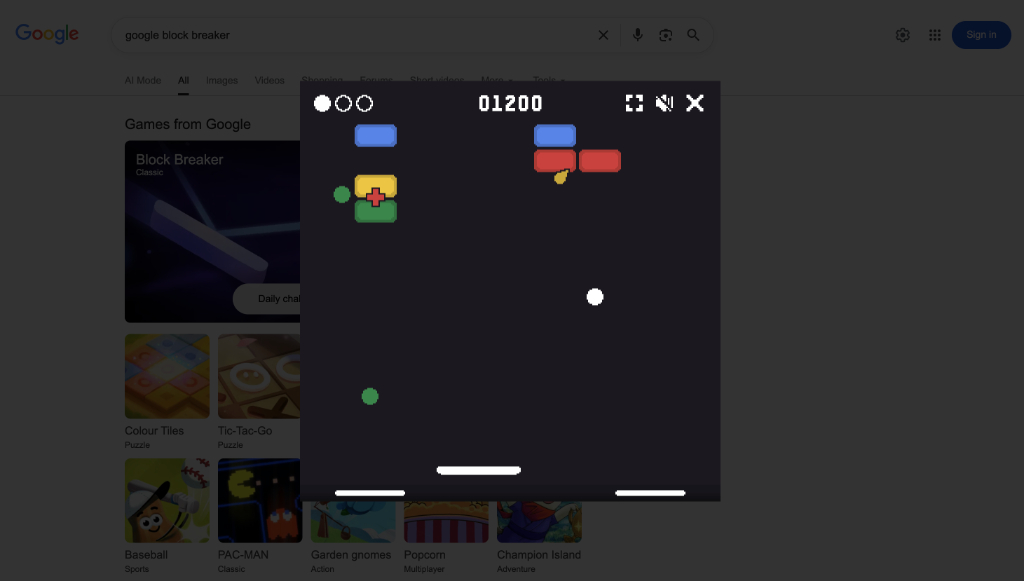
The concept is beautifully simple: you control a horizontal paddle at the bottom of the screen. A white ball bounces around the playing field. Your objective is to keep that ball in motion, directing it upward to smash through rows of brightly colored blocks. Each destroyed block earns you points. If the ball falls past your paddle and hits the bottom of the screen, you lose one of your three lives. If you lose all 3 lives, the game ends.
What makes Google's version special is its clean, dark-mode interface, smooth physics, Google-branded color palette (blue, red, yellow, and green blocks that directly match the Google logo colors), and a rotating power-up system that keeps every session unpredictable.
The Origin Story: From Atari to Google
To truly appreciate Google Block Breaker, you need to understand where it came from.
In 1976, Atari released a coin-operated arcade game called Breakout. The concept was revolutionary for its time: a paddle, a ball, and a wall of bricks to destroy. It was simple, addictive, and wildly successful.
What most people do not know is that Steve Jobs and Steve Wozniak—the two men who would later co-found Apple—were directly involved in creating the original Breakout game while working at Atari. Jobs handled the contract, and Wozniak did the actual engineering work, building the game's circuit board in just four days.
Decades later, the "Breakout" concept inspired countless clones and spiritual successors across nearly every platform imaginable. Google's version is not just a copy — it is a carefully polished, modernized tribute that adds power-ups, difficulty scaling, and a high-score chase to the classic formula.
How to Find and Play Google Block Breaker (Step-by-Step)
Finding the game takes less than ten seconds, regardless of which device you are using.
On Desktop (Windows, Mac, Linux)
- Open any web browser (Google Chrome recommended).
- Navigate to
google.com. - In the search bar, type
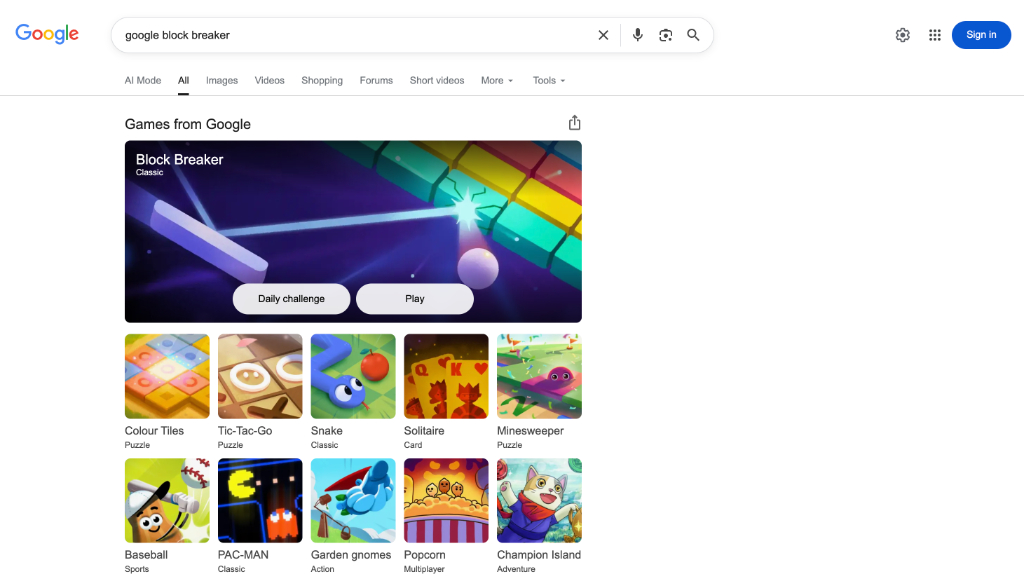
Block Breaker"or" and press Enter. - The "Games from Google" card will appear at the very top of the results, above all web links.
- Click the "Play" button to launch the game immediately.
On Mobile (Android and iPhone)
- Open the Google app or Chrome browser on your phone.
- Search for
Block Breaker. - The game card appears at the top of the results.
- Tap "Play" and the game launches in a pop-up window.
- Control the paddle by sliding your finger left and right across the bottom of the screen.
On Chromebook
The steps are identical to the desktop method. Google Block Breaker runs natively in the Chrome browser with full keyboard support.
When Google Block Breaker Does Not Appear
If the game card fails to load (this occasionally happens due to regional availability or caching), you can access a cached version directly at elgoog.im/breakout—a community-maintained mirror of Google's classic Easter Egg games.
Game Controls and Mechanics Explained
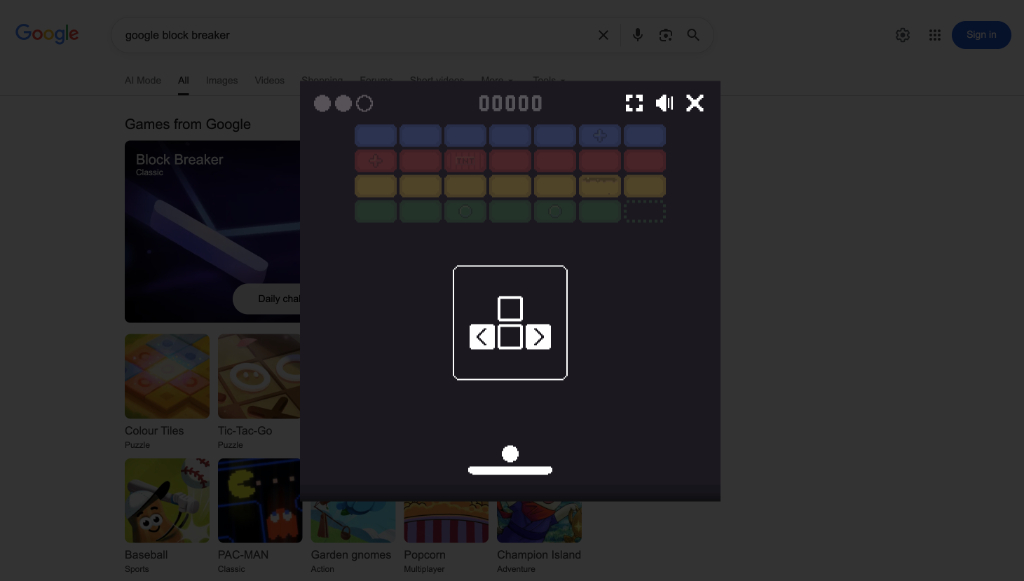
Once the game launches, a control guide briefly appears before play begins, showing the keyboard arrows.
| Control Method | Action |
|---|---|
| Left / Right Arrow Keys | Move paddle left or right |
| Mouse Movement | Move paddle (on desktop) |
| Touch / Swipe | Move paddle (on mobile and tablet) |
Understanding the Score Counter
The score is displayed prominently at the top center of the game window. Points are awarded per block destroyed. Harder blocks (those requiring multiple hits) award correspondingly more points when finally broken.
Lives System
You begin each game with three lives, shown as three circles in the top-left corner of the game window. Each time the ball falls past your paddle, one life is consumed. Lose all three, and the Game Over screen appears.
Every Power-Up Explained (Verified List)
Power-ups drop from destroyed blocks as small falling icons. You must catch them with your paddle to activate them.
Beneficial Power-Ups
- Multi-Ball: Splits the ball into multiple active balls. This is the most powerful play for clearing the screen quickly.
- Paddle Expand (Extend): Temporarily doubles the width of your paddle for a higher catch radius.
- Lasers: Equip your paddle with shooting capabilities to destroy blocks directly without waiting for ball contact.
- Extra Life (Hearts): Grants an additional life to keep your run going.
Risky Power-Ups (Avoid These)
- Paddle Shrink: Reduces paddle size by half. This power-up is a trap. Never catch this power-up intentionally.
- Fast Ball: Dramatically increases ball speed. Only experienced players who can react quickly should attempt to use this power-up.
8 Pro Tips to Dominate Your High Score
Tip 1: Always Chase the Multi-Ball Power-Up
Multi-Ball is the single highest-value play in the entire game. The moment you see it drop, prioritize catching it above all else. Two balls clearing the field simultaneously can push a mediocre score into excellent territory within seconds.
Tip 2: Aim for the Ceiling Trap
This is the most powerful advanced technique. When your ball gets lodged between the top row of bricks and the ceiling, it bounces back and forth autonomously, destroying blocks rapidly without requiring any paddle input. To achieve this effect, angle your shots toward the narrow gaps between bricks in the top rows.
Tip 3: Learn Paddle Edge Physics
Where the ball makes contact with your paddle determines the angle at which it bounces. Hitting the ball with the center of your paddle sends it nearly straight up. Hitting with the far left or far right edge sends it off at a sharp diagonal angle. Master edge hits to direct the ball to specific challenging-to-reach blocks.
Tip 4: Never Stand Still in the Center
Inexperienced players plant their paddle in the center and reactively move. Instead, develop the habit of constantly repositioning your paddle under the predicted landing zone of the ball. Always be moving in anticipation.
Tip 5: Scan the Level Layout Before Playing
Each level has a unique brick configuration. Before clicking Play, take two seconds to identify clusters, gaps, and difficult-to-reach isolated bricks. Planning lets you prioritize which sections to clear first.
Tip 6: Keep Isolated Corner Bricks for Last
Bricks isolated in corners are the hardest to hit. Getting the ball stuck trying to reach a single corner brick can end your run. Clear the bulk of the field first to give the ball more room to bounce freely.
Tip 7: Sacrifice Speed for Control
If a speed power-up feels too risky, let it fall. Control beats speed in block breaker games. A standard ball speed gives you more reaction time and allows more deliberate aiming.
Tip 8: Focus on the "Sweet Spot"
Practicing your aim to hit the corners of bricks often triggers chain reactions, clearing multiple blocks with a single bounce path.
The Hidden Google Images Easter Egg
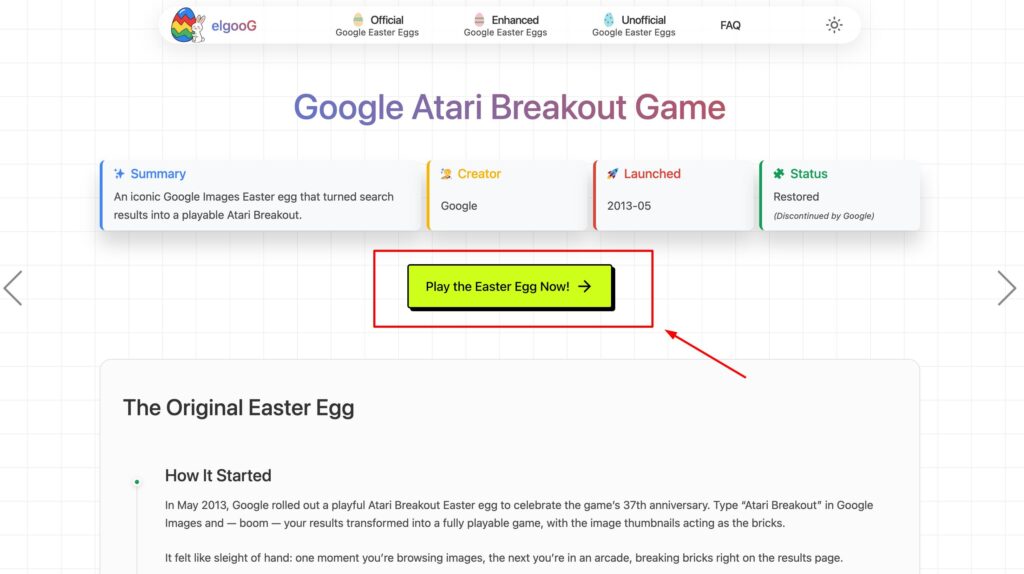
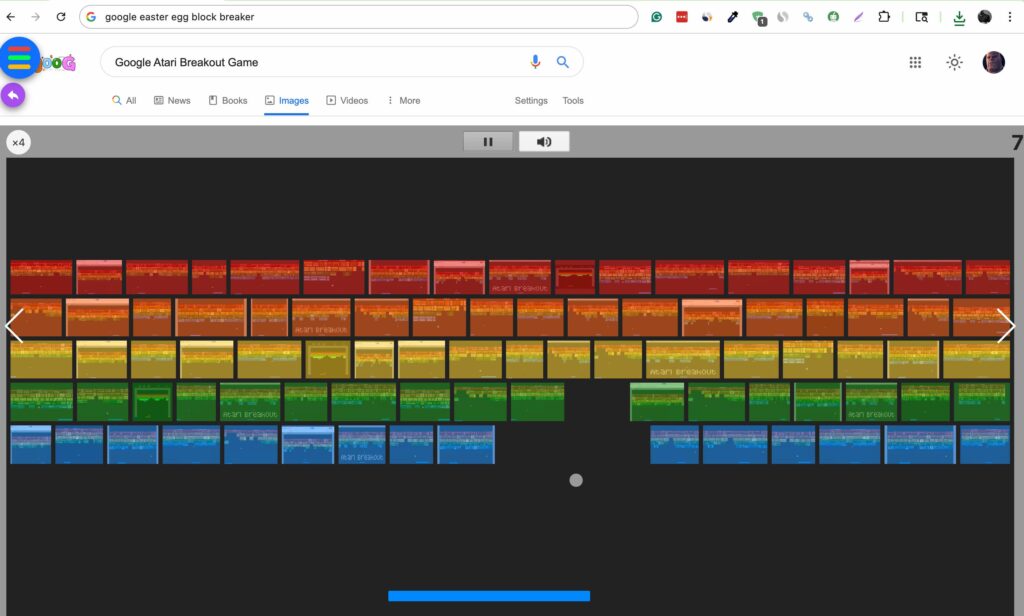
Before the official Block Breaker Search game existed, Google had a far more obscure secret: a hidden Breakout Easter Egg embedded inside Google Image Search.
The way it worked: if you searched for "Atari Breakout" in Google Images (around 2013), the image thumbnails on the results page would suddenly rearrange themselves into rows of colored bricks. A paddle and ball would appear, and you could play Breakout using the actual image thumbnails as the bricks to destroy.
This Easter egg gained enormous viral attention at the time and is widely considered one of the most creative hidden features Google has ever released.
Does it still work in 2026? Unfortunately, Google removed this Easter egg from its live image search years ago. However, the community-maintained website elgoog.im/breakout has preserved a fully functional recreation of the original Easter egg version.
Google Block Breaker vs Other Google Games
Google has quietly built a small library of classic arcade games directly into its search. Here is how Block Breaker compares:
| Game | Type | Skill Level | Best Feature |
|---|---|---|---|
| Block Breaker | Arcade / Reflex | Medium | Power-ups, Skill progression |
| Snake | Arcade / Classic | Easy | Infinite, relaxing gameplay |
| PAC-MAN | Arcade / Maze | Medium | Authentic, full-featured recreation |
| Solitaire | Card | Easy | Great time-killer |
| Minesweeper | Puzzle | Hard | Logic and strategy depth |
| Tic-Tac-Go | Puzzle | Easy | Quick 2-minute session game |
Frequently Asked Questions
Yes. It is completely free and requires no sign-in, credit card, or installation of any kind.
Yes. Open Google Chrome or the Google app on your iPhone, search for "Block Breaker," and tap Play. The game is fully touch-optimized.
Your high score is saved for the current browser session only. It does not persist permanently across sessions or devices. You can see your personal session best displayed on the Game Over screen.
The original Breakout was created for Atari in 1976. Steve Jobs brokered the deal, and Steve Wozniak did the core engineering work—four years before they founded Apple Computer.